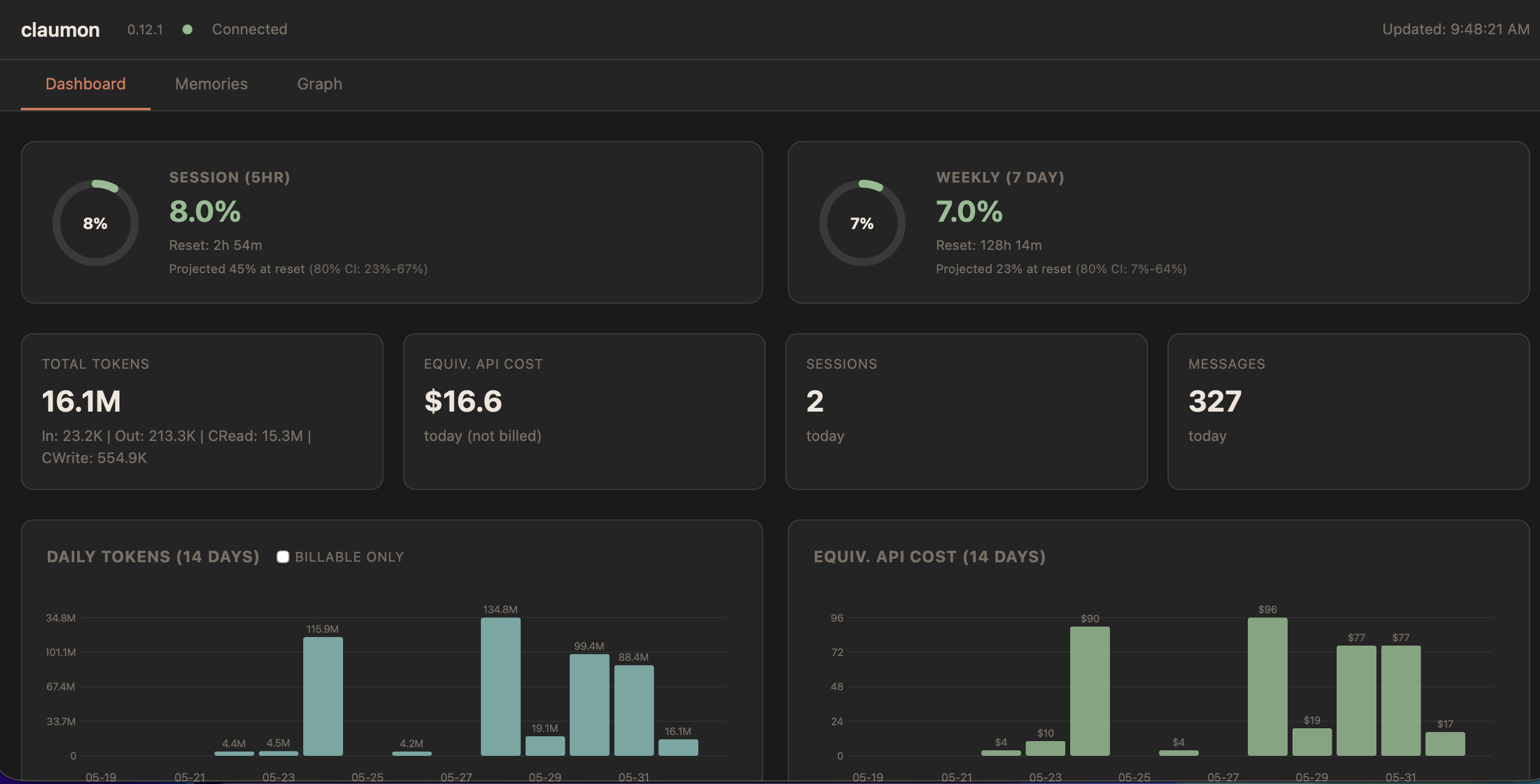
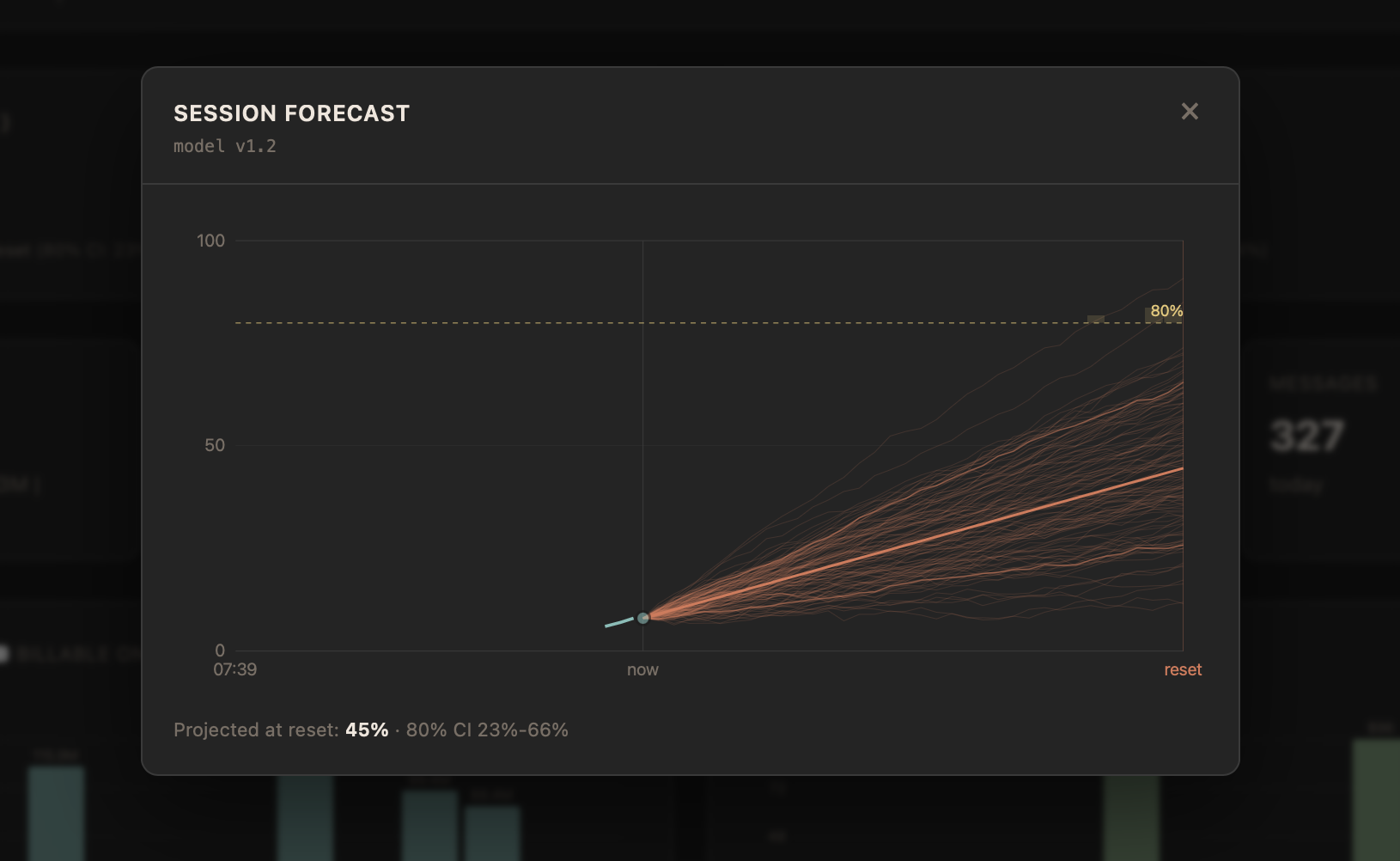
See where your Claude Code limits are headed before you hit them - and manage everything Claude Code leaves on your machine. Forecasts from a published, benchmarked statistical model, not a burn-rate guess. Single binary, zero config, one browser tab.
An empirical-Bayes model projects where each limit window lands at reset, with an 80% credible band and ETA to threshold. Refit daily from your own past windows, published as a spec, and benchmarked out-of-sample.
Live 5-hour and 7-day utilization with reset countdowns and color-coded thresholds, plus separate Opus and Sonnet quotas when they apply.
Input, output, cache read, cache write tokens per session. Estimated API-equivalent costs at current pricing.
Browse today's or recent sessions with token counts and costs. See running Claude Code processes live and stop them from the dashboard.
Search across all CLAUDE.md files, rules, and auto-memories. Filter by type, spot stale entries, get consolidation suggestions for overlapping files.
Interactive visualization of memory relationships. Per-file health grades (A–F) with improvement suggestions for stale or poorly structured memories.
Server-Sent Events push changes instantly. No polling, no manual refresh. Gauges, sessions, and memories update live.
A companion extension shows live usage and the forecast in your editor status bar, with the dashboard embedded in a panel. Install in one command.
No CGO, no native dependencies. One binary per platform.

Apple Silicon & Intel
chmod +x claumon-darwin-*. If blocked by Gatekeeper: right-click → Open, or run xattr -d com.apple.quarantine claumon-darwin-*brew install fabioconcina/claumon/claumon on macOS or Linux. Or grab a prebuilt binary.
claumon --open for a quick look, or claumon service install to start it on login. Credentials are picked up automatically.
brew update && brew upgrade claumon, or claumon update for binary installs.
